If you’re planning to host events online, your very first step is getting access to your organizer dashboard. On ME-Ticket, that process is clean, fast, and fully optimized for both desktop and mobile users. From creating your organizer account to resetting your password and managing your profile, the entire system is built to save time and avoid friction.
This guide walks you through everything you need to know about organizer registration and login on ME-Ticket, using real interface features shown in the platform.

Why Organizer Access on ME-Ticket Matters
Your organizer account is your control center. It’s where you:
- Create and manage events
- Track statistics
- Edit your profile
- Connect payments
- Receive system notifications
- Recover access if you forget your password
Without this account, you can’t publish or manage events — so setting it up correctly is essential.
How to Create an Organizer Account on ME-Ticket
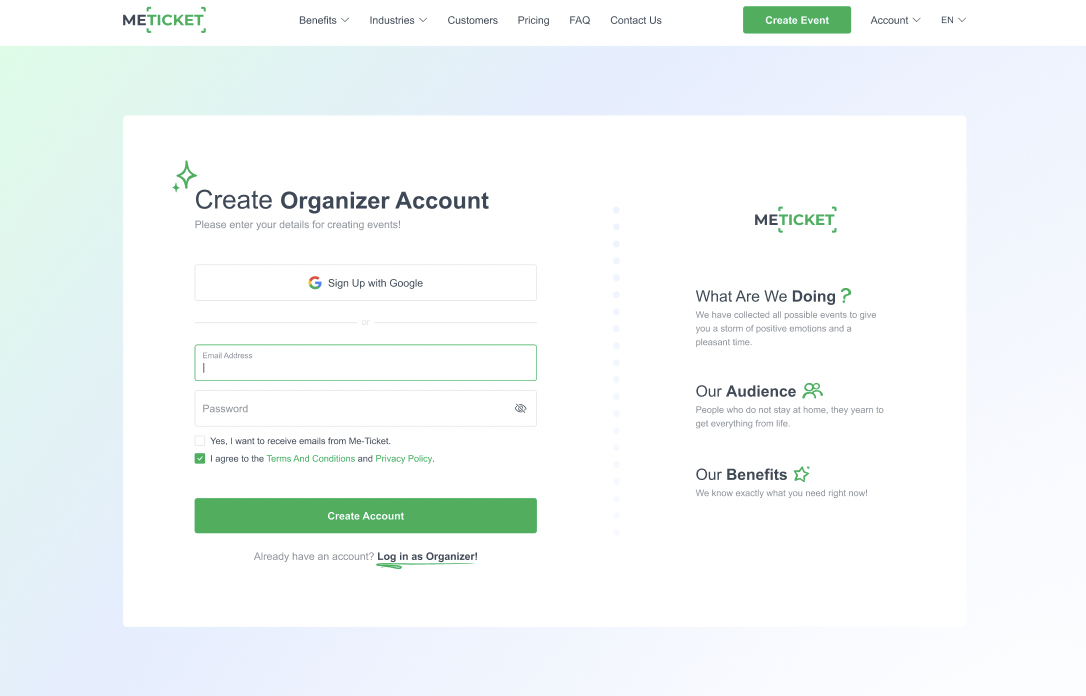
Getting started takes less than a minute. When you open the Create Organizer Account page, you’ll see two main options:
- Sign up with Google
- Sign up with Email and Password
After entering your email and password, you must:
- Accept the Terms & Conditions
- Agree to the Privacy Policy
- Click Create Account
Once completed, your organizer account is instantly ready to use. No complicated approval process. No delays.
Logging in as an Organizer
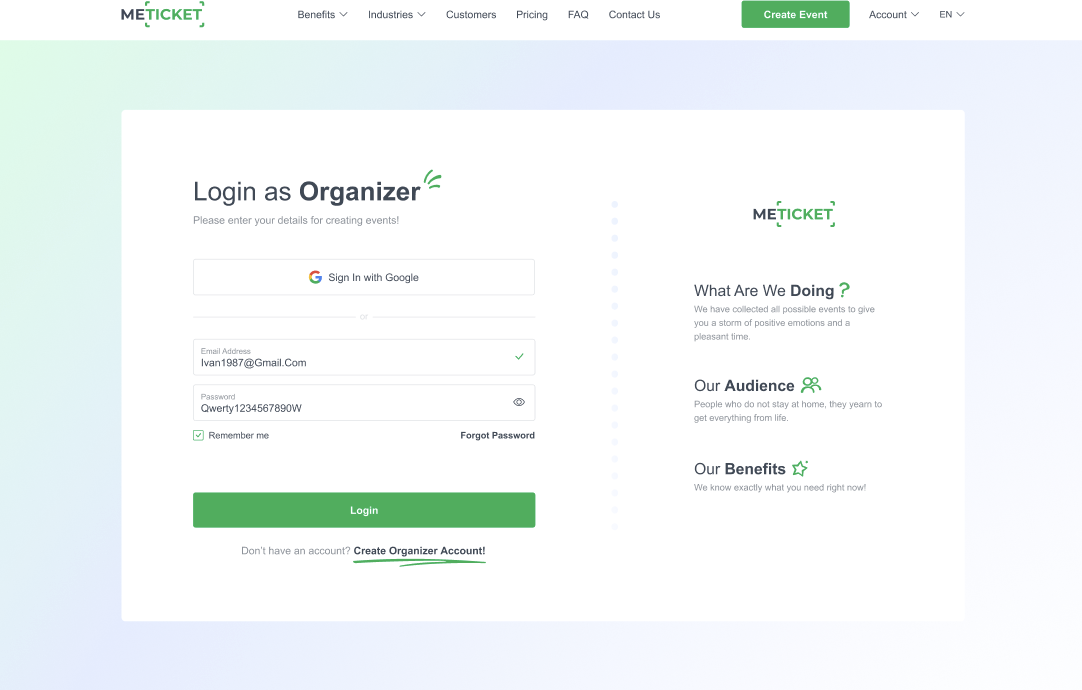
Already have an account? The Login as Organizer page lets you access your dashboard instantly.
You can:
- Log in using Google
- Or enter your Email + Password
If you forget your password, the “Forgot Password?” option is placed directly under the login fields, so you’re never locked out for long.
Password Recovery: Step-by-Step
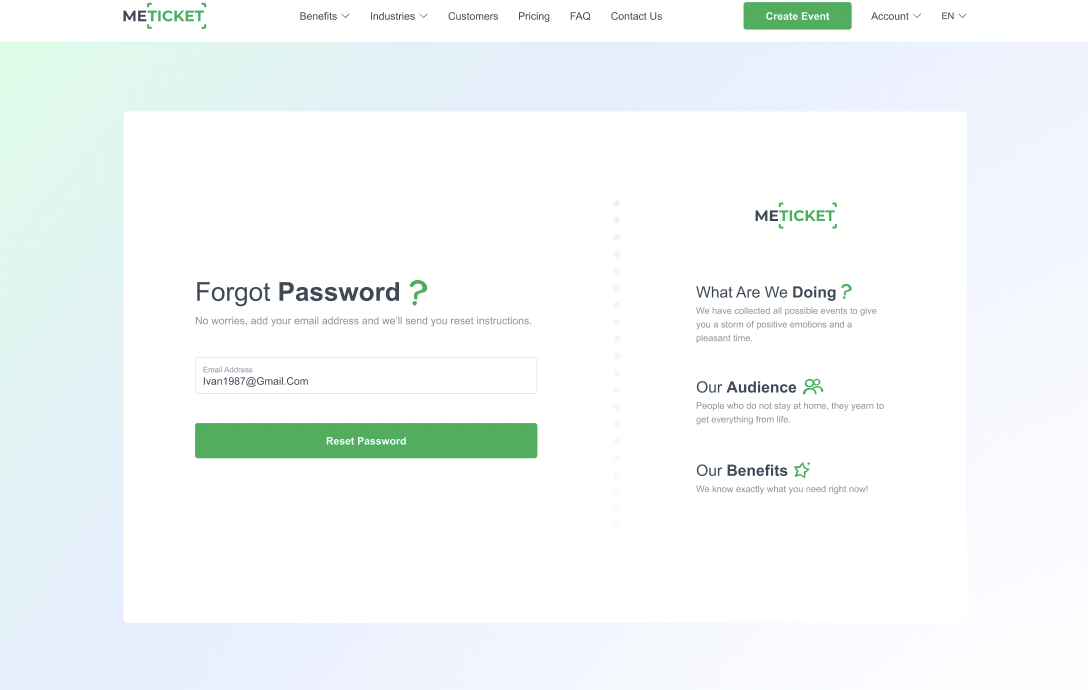
ME-Ticket keeps password recovery simple and secure:
- Click “Forgot Password?”
- Enter your registered email
- Click Reset Password
- Check your inbox for the confirmation email
- Click the reset link
- Set your new password
- See the confirmation screen: “Password Has Been Reset”
From there, you’re redirected back to login and can continue working immediately.
Organizer Profile Settings Explained
Inside your dashboard, the Profile section is where you manage all personal and business information.
You can edit:
- First & Last Name
- Country
- Email Address (with verification status)
- Phone Number (with country code)
- Messenger contact
- Username
- Company Name
- Website
There’s also a Stripe Verified status shown directly in your profile if your payment system is connected.
At the bottom, you’ll find notification controls, where you can:
- Disable event status notifications
- Disable ticket sales alerts
This lets you control exactly how much information you receive.
Organizer Access Flow Overview
Action
What Happens on ME-Ticket
Create Account
Sign up via Google or Email
Login
Access dashboard instantly
Forgot Password
Email-based password reset
Profile Management
Edit personal + business data
Stripe Verification
Shows payment readiness
Notifications
Control status & sales alerts
Mobile Access Works the Same Way
All of these features — login, registration, password recovery, and profile management — are fully mobile-optimized. The same clean layout, same functions, and same security work perfectly on smartphones.
This means you can:
- Log in on the go
- Reset your password from your phone
- Update your profile anytime
- Stay in control even during live events
Why This Matters for Event Organizers
Smooth access equals smooth event management. If you can quickly:
- Log in
- Fix profile issues
- Recover passwords
- Verify payments
- Control notifications
Then you avoid delays, missed sales, and technical stress. ME-Ticket’s organizer system is designed so you focus on running your event — not fighting with settings.

Conclusion
The organizer registration and login system on ME-Ticket is built for speed, security, and flexibility. From fast Google sign-in and instant password recovery to full profile control and Stripe verification, everything is designed to keep your work uninterrupted.
Whether you’re launching your first event or managing dozens, your organizer account is the backbone of your success — and ME-Ticket makes sure it’s reliable, intuitive, and always accessible.
Frequently Asked Questions about Organizer Registration and Login
Yes. You can log into your organizer account from any device without restrictions.
You’ll need to contact ME-Ticket’s support team to verify your identity and restore access securely.
You can create events without Stripe, but online payments require Stripe verification.
Yes, you can update login credentials through your profile settings.
Currently, login alerts are not automatic, but all sensitive changes require confirmation.